How to Participate in the MegaETH Public Sale, Check Out the Hottest ICO Whitelisting Platform Now


A few minutes to raise $50 million, ICO price $0.05, direct listing 20x return, reaching the highest point bringing up to 3260% ROI for ICO investors.
The success of the Plasma ICO almost made everyone realize that the ICO craze might be about to return. From that moment on, all eyes turned to the platform behind it—Echo.
It not only carried the explosion of Plasma but also, with the brand-new Sonar feature, attempted to reshape the rules of new listings. Related reading: "Echo Launches New Sonar Feature, Can It Create a "Compliant ICO" Market?"
Everyone wants to seize the next "Plasma." And now, a new wave of excitement is building. The next project that could replicate the Plasma myth, MegaETH, is open for registration on the Echo platform.
In this article, Rhythm BlockBeats will provide a complete introduction: how to complete MegaETH registration and KYC, how to use Echo and Sonar, and how to join the most active investment group.
1. How MegaETH Completes KYC
The hottest ICO on Sonar right now is MegaETH, with a registration period from October 15 to October 27, and 6 days left until the registration deadline. Completing the KYC identity verification process involves several steps, but in the case of complete and smooth information, it is almost instantly approved. If waiting is required, it will undergo manual review, requiring at least 1-3 days of waiting, so it is recommended to complete KYC as early as possible.
1. Prepare Documents
Prepare the necessary documents including a clear photo of your passport or driver's license, a mobile phone for facial recognition, and a utility bill or bank statement from the last 3 months.
As Chinese addresses are included in prohibited participation regions, you need to submit a proof of address from another region. There are many bloggers on Twitter who have discussed ways to solve address proof issues. Here, we will mainly use examples of information from a Mainland Chinese passport, Hong Kong address proof, and bank statement.
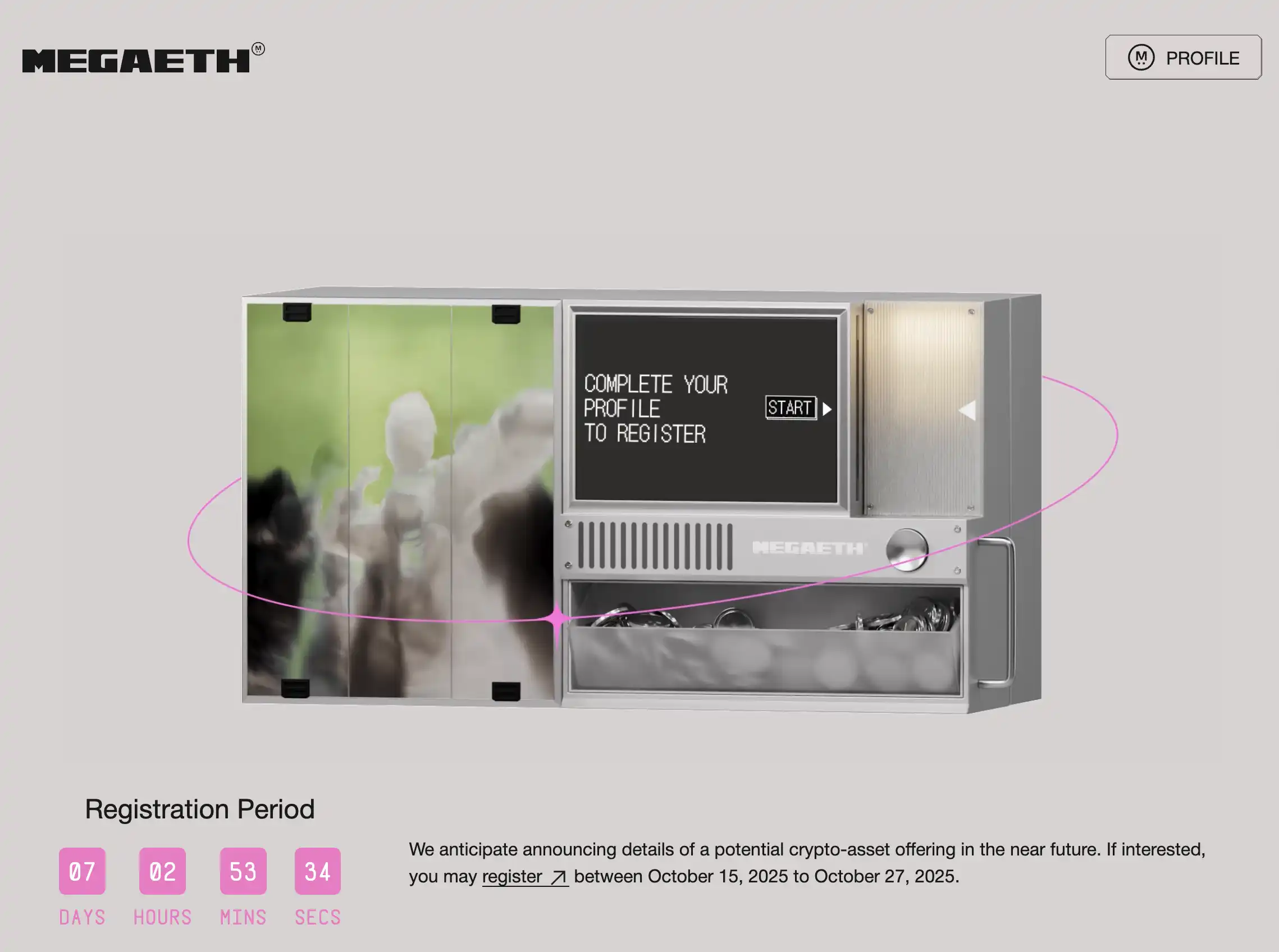
2. Visit MegaETH Registration Page
According to community analysis, it is easier to pass the KYC process by accessing it from MegaETH's registration page rather than from Sonar. Therefore, we will enter from MegaETH's registration page.
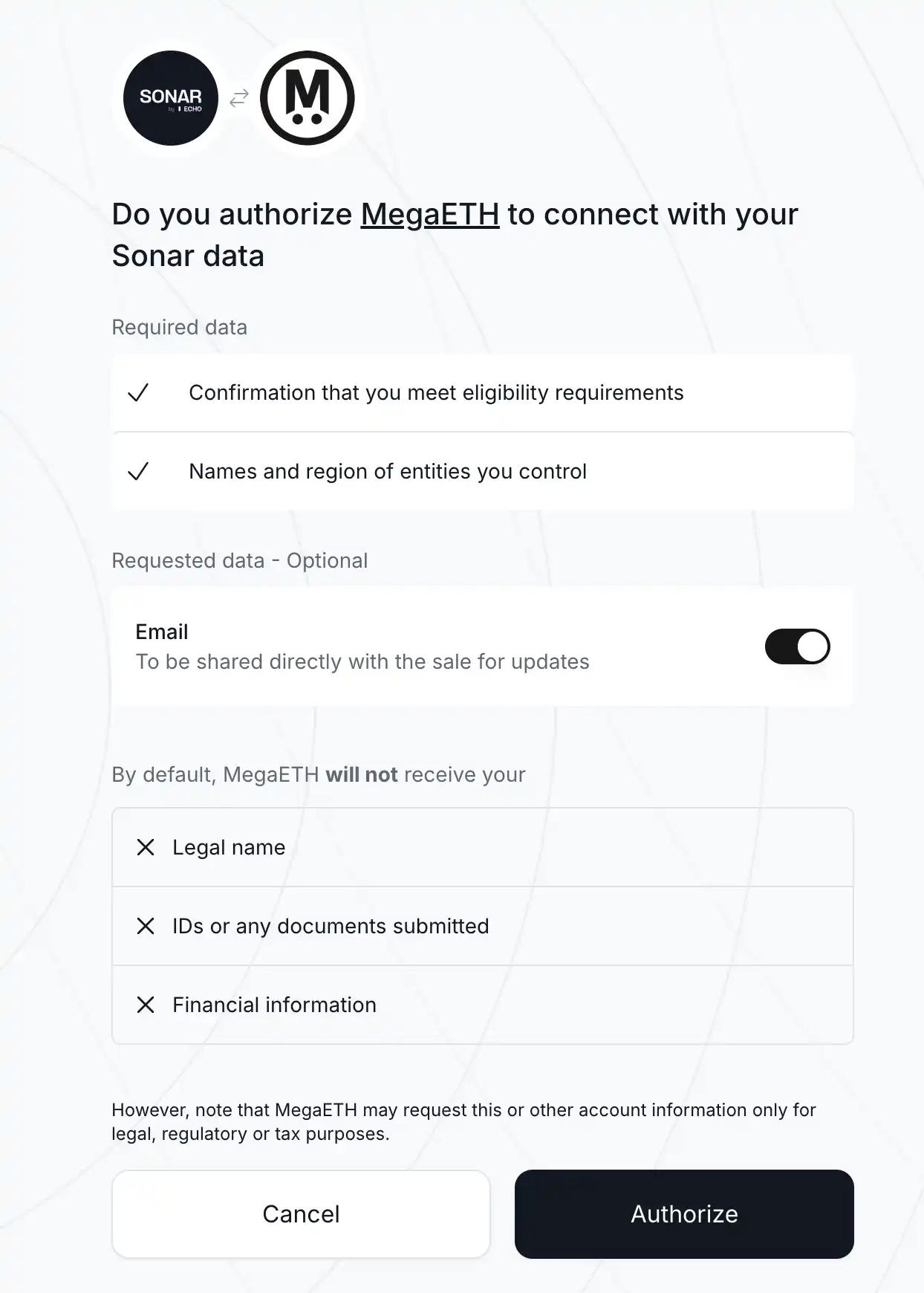
Upon entry, you will first need to establish an authorization data connection. Click on "Authorize" to agree and proceed.
3. Complete Personal Information
On the MegaETH platform, navigate to the personal information completion page. You can start by adding links for "Social Media & Work," including Twitter, Discord, and GitHub. It is advisable to link accounts with rich interaction history, as previous participation and contributions to MegaETH and the Ethereum ecosystem may increase your chances of receiving an allocation during oversubscription.
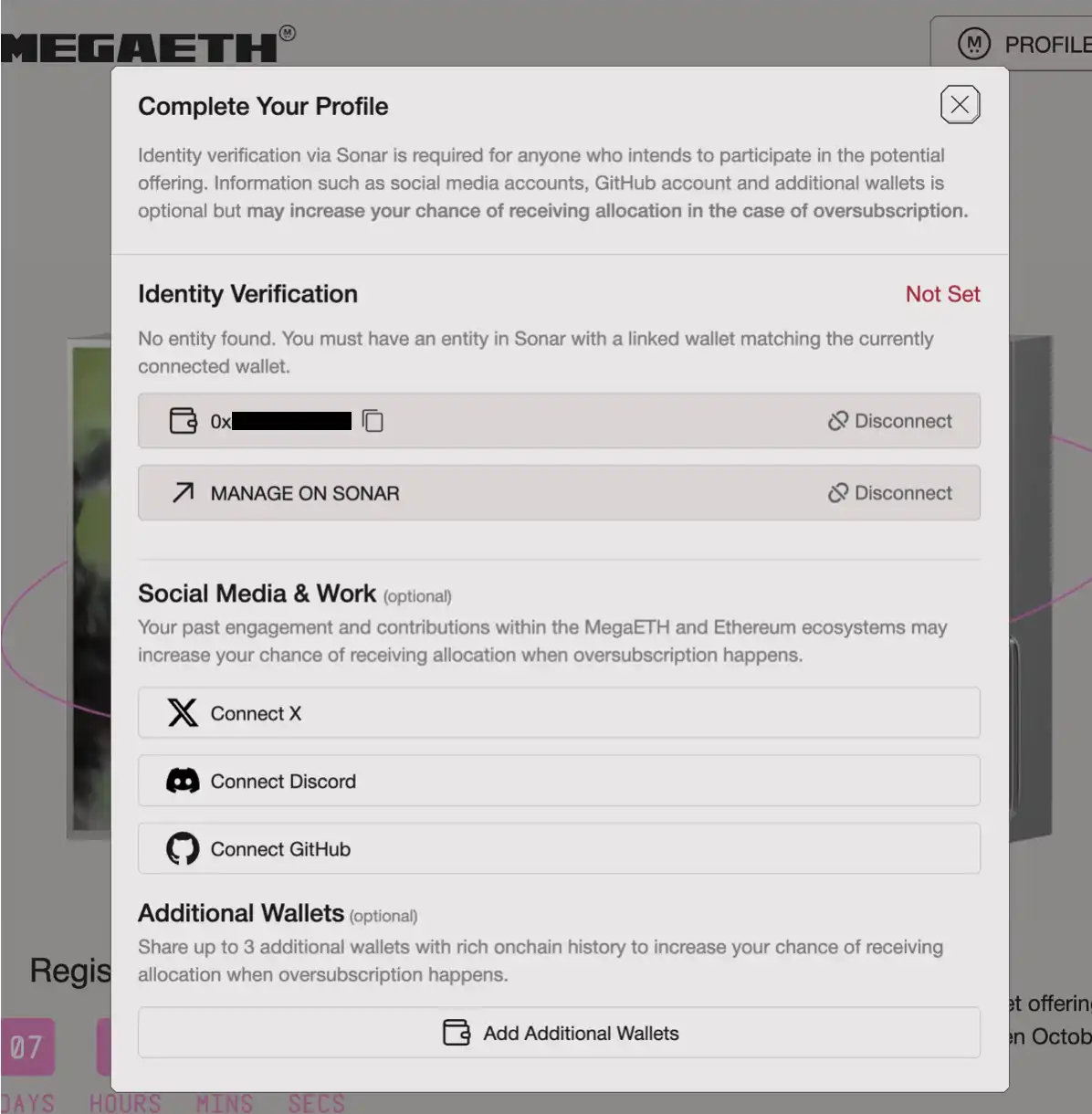
Additionally, click on "Add Additional Wallets" to upload up to 3 additional wallets with rich on-chain interaction history to further enhance your chances of receiving an allocation during oversubscription.
Next is the crucial step of "Identity Verification." Begin by connecting a primary wallet, once again preferably using a wallet with a rich on-chain interaction history as mentioned earlier.
Then click on "MANAGE ON SONAR," where you will need to utilize the passport photo and bank statement prepared in step 1.
4. Identity Verification
After clicking "MANAGE ON SONAR," you will enter the identity verification process, where two documents need to be uploaded.
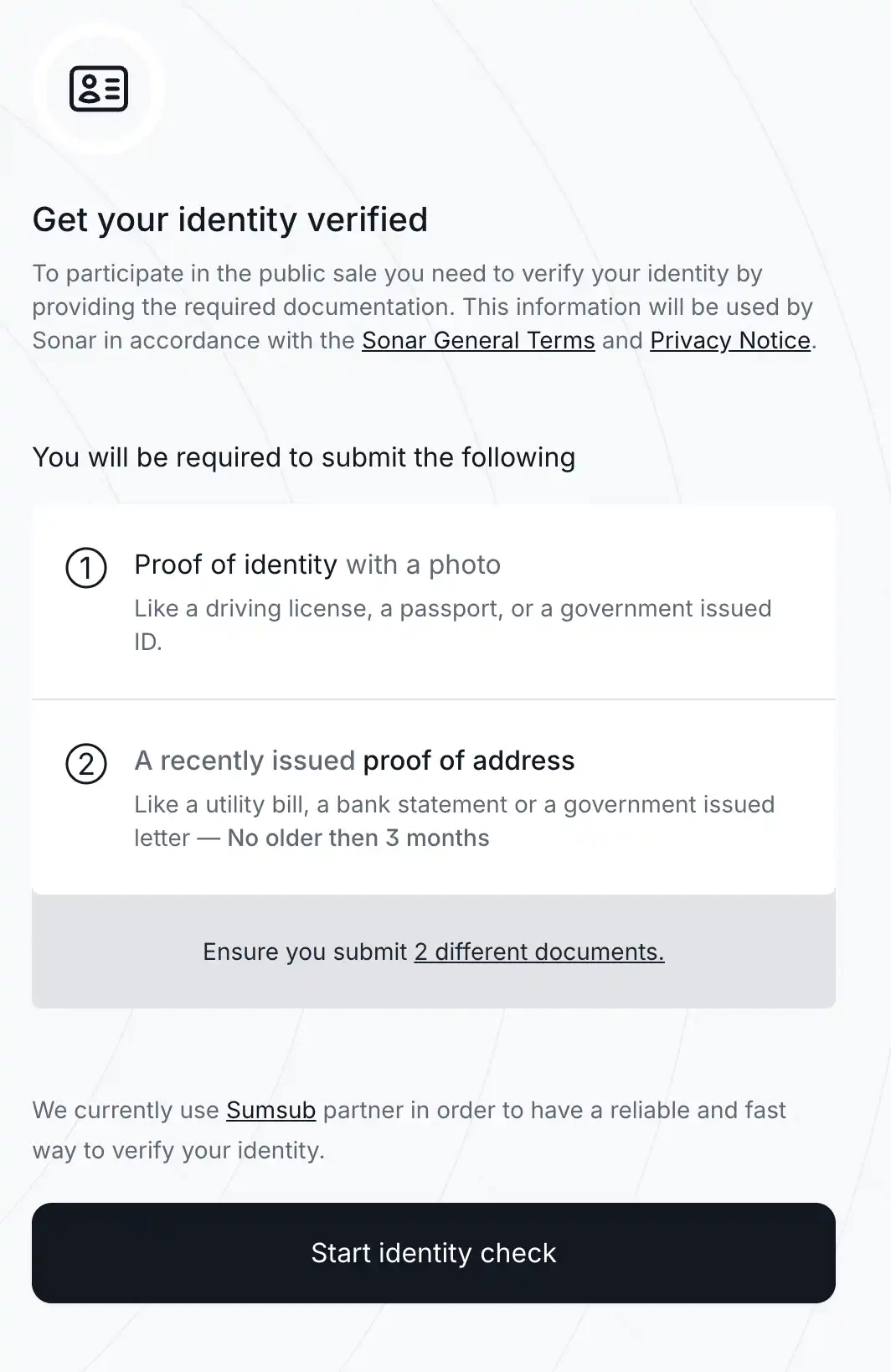
First, click on the first document, "Proof of identity with a photo," which is a photo ID. It is recommended to initially try using the passport photo; if that is not accepted, you can attempt using a driver's license photo. It's important to ensure that the photo is high quality and not a screenshot; using a downloaded passport photo is essential to avoid system rejection.
Upon completion of the upload, a facial recognition step will appear. Ensure you take the photo in a well-lit area, with your face clearly visible and unobstructed.
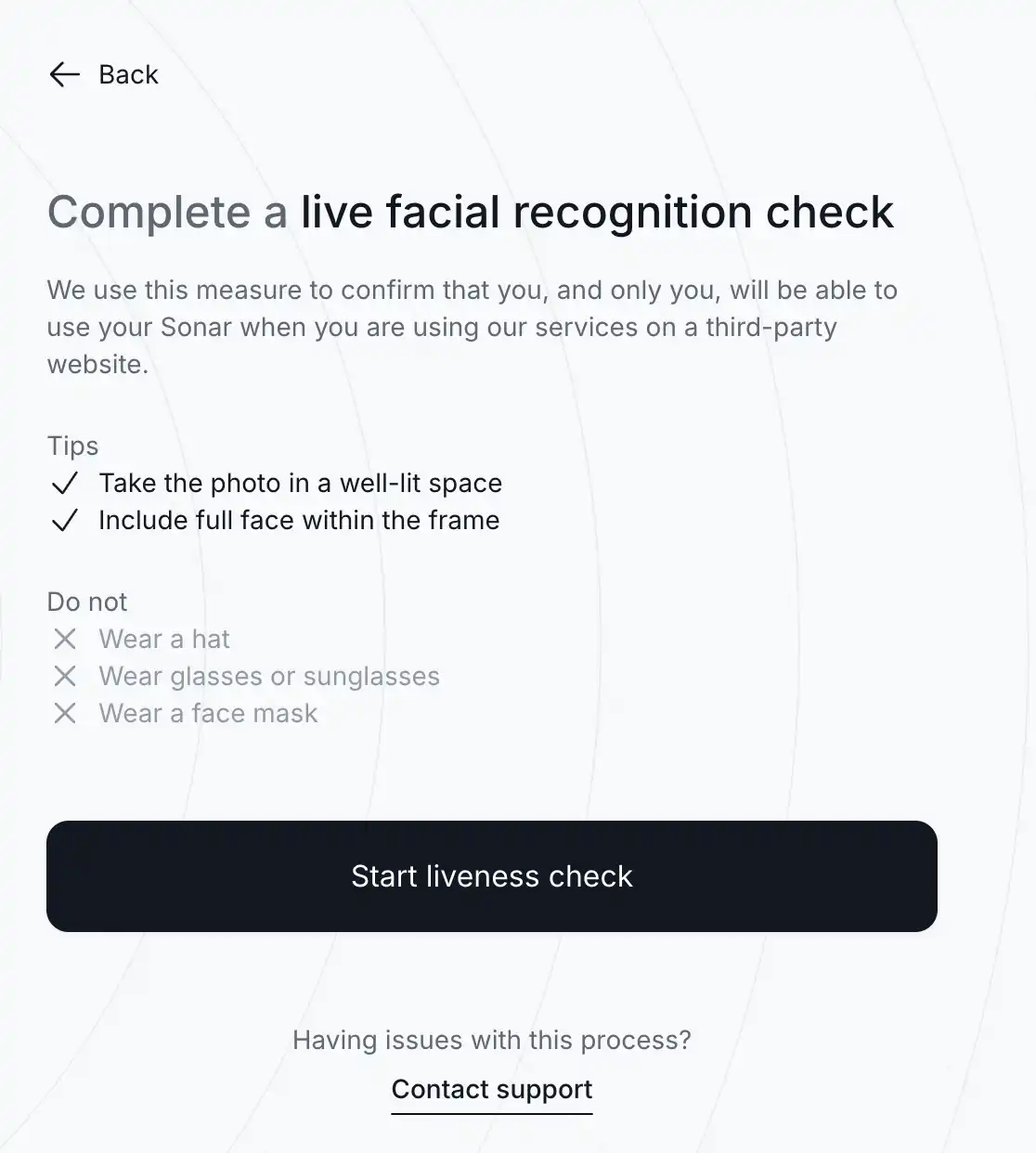
After clicking on "Start liveness check," there will be a redirection prompt to be completed on your mobile phone. Click on "Continue on phone" to display a QR code and a link. Use your phone to scan the QR code or copy the link to complete the facial recognition process.
Once the facial recognition is completed, return to your computer to proceed. The page will move to the next step, which involves uploading address proof. If you receive an email indicating failure, try uploading other supporting documents.
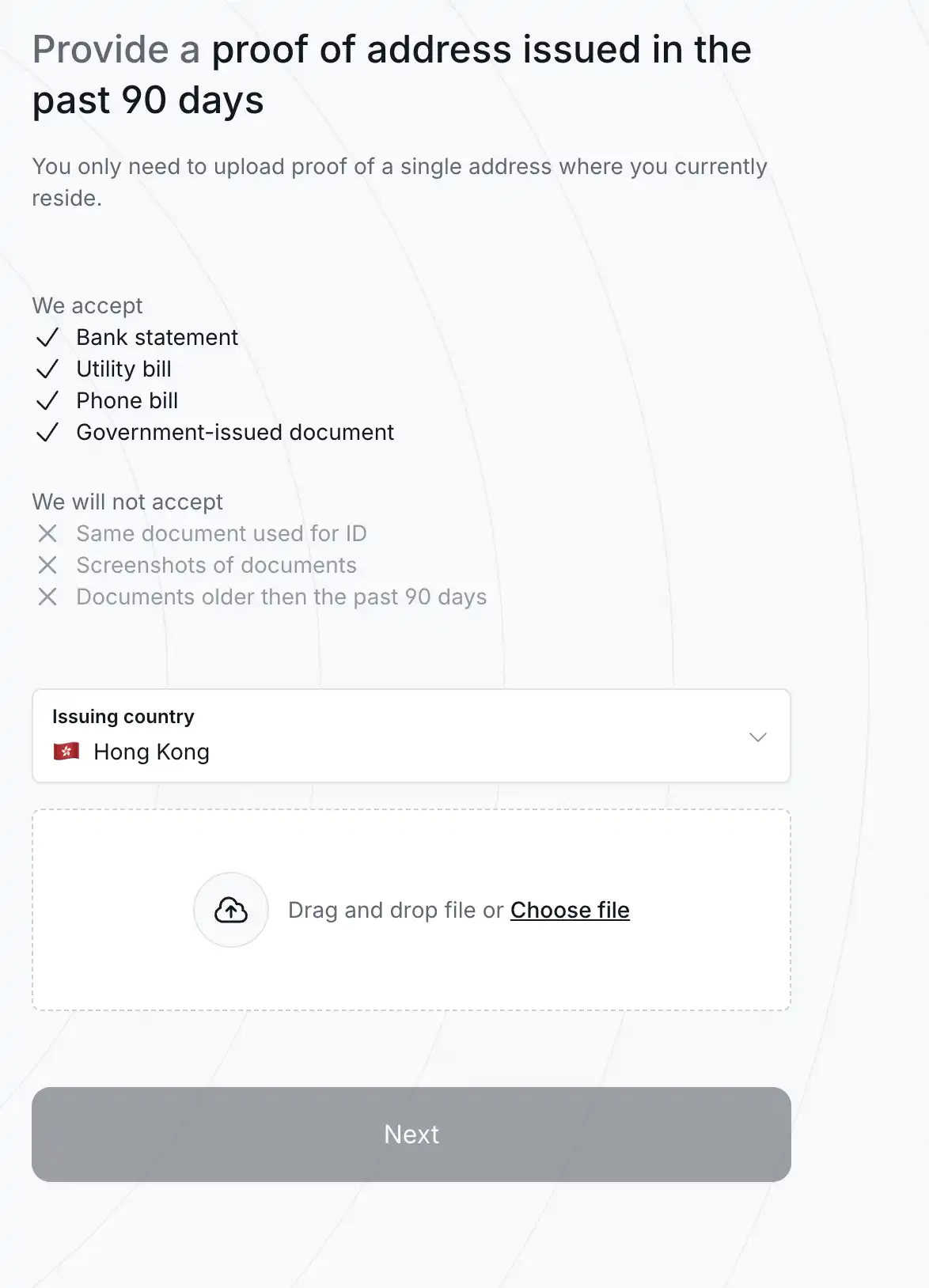
5. Completion of Registration
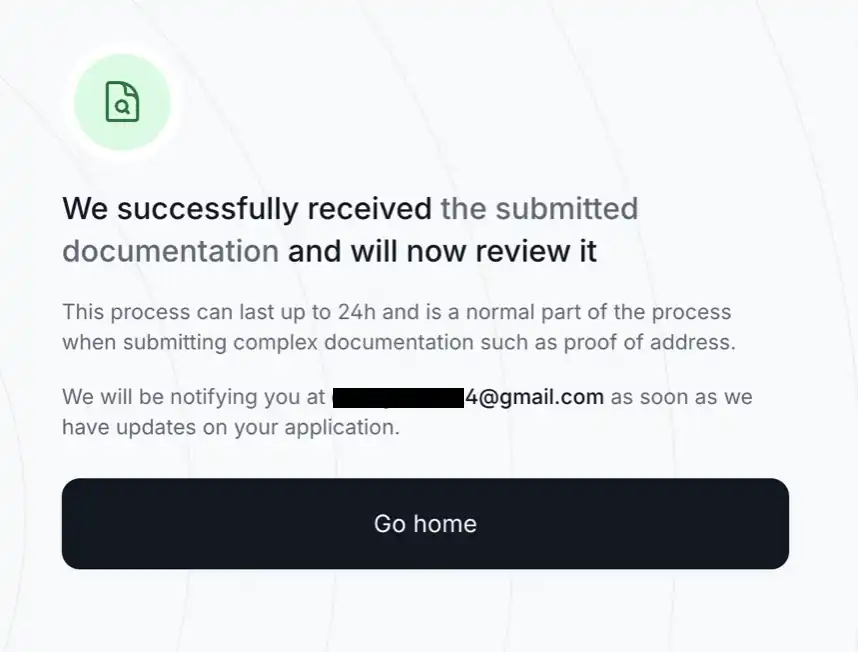
After passing KYC, you will receive an email/platform notification. The official details of the sale will be announced after October 27. Upon returning to the homepage, you will see "Qualified for this sale," indicating that your wallet has passed KYC and qualification review.
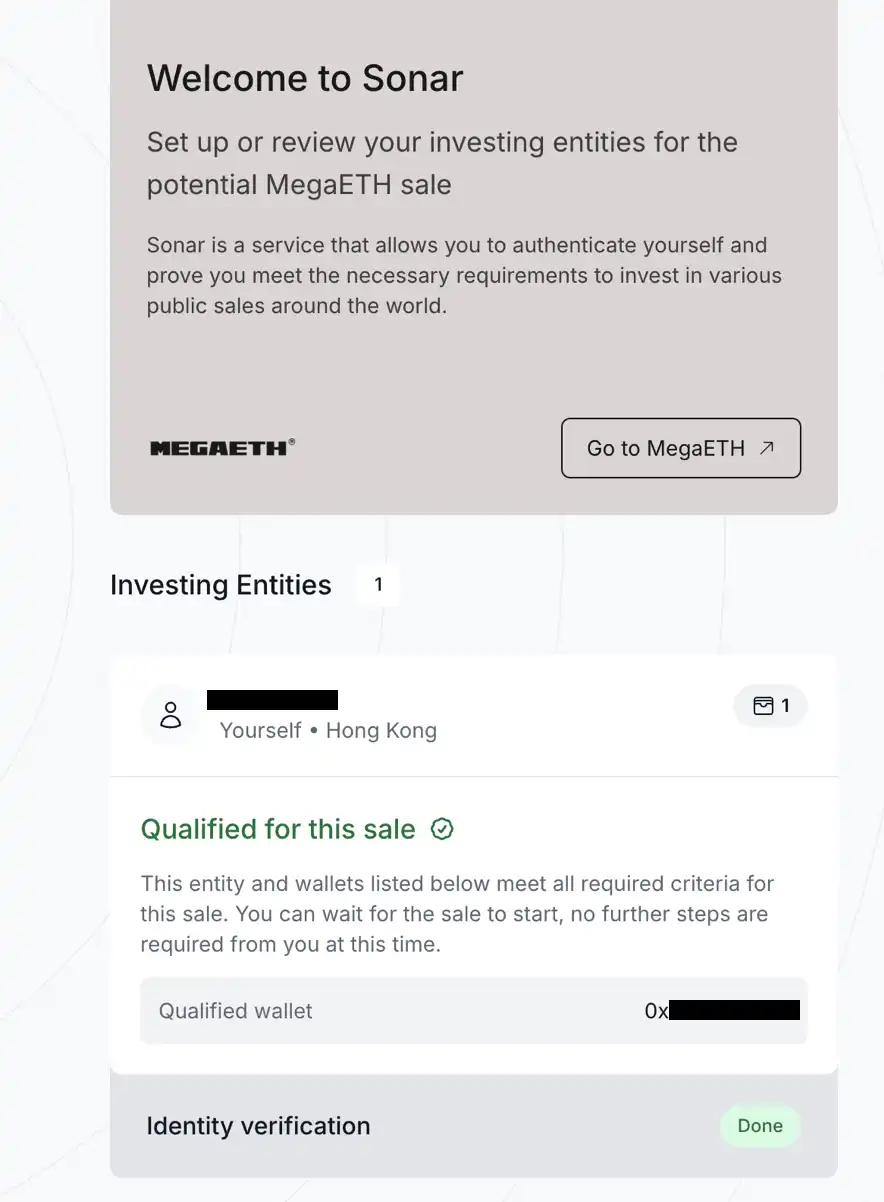
It is important to note that during the payment stage, you may be required to undergo a secondary facial verification or submit proof of address from the last 90 days. Therefore, pay close attention to updates from @megaeth_labs on Twitter and Sonar's email notifications.
2. How to Create and Use Echo & Sonar
1. Registering for Echo
Once you have completed the registration for MegaETH, you still cannot use Echo because the KYC channels for both platforms are different. To proceed, you need to go to the Echo registration page and complete the registration process.
This registration process is relatively simpler than before, so we won't delve into too much detail. Simply follow the instructions to set up the following information: Enable Two-Factor Authentication (2FA); Link your X (Twitter) account or Farcaster account; Select your country of residence; Agree to the user agreement; Provide your investment experience and identity information.
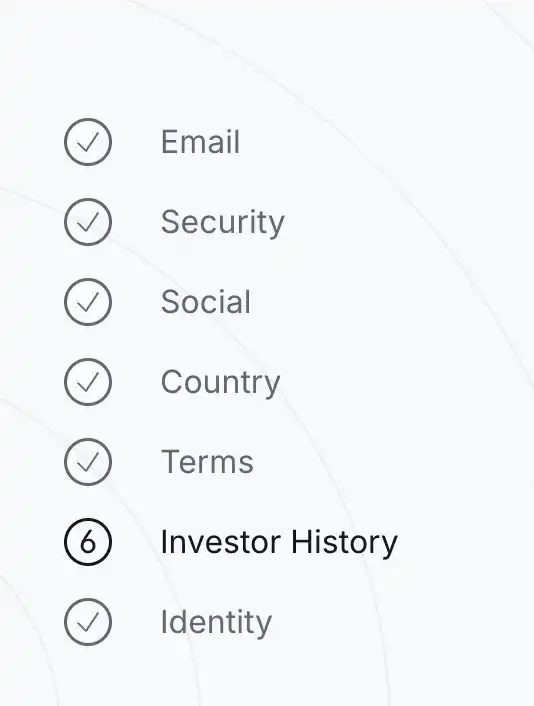
The only slightly more complex part is the Investor History questionnaire in Step 6, which requires selecting investment experience, income amount, asset amount, understanding of lock-up, and dozens of other questions. If the deviation is too large, the certification will fail. Here, try to highlight your rich investment experience, with an annual income of at least $200,000 or a net worth of over $1 million. For professional questions you are unsure about, you can just ask AI for confirmation.
2. Join a Group
The group function is one of Echo's features. Echo itself does not recommend or display specific transactions, but the group's "group owner" can.
After the "group owner" creates a group, they can share their investments in the group. Members can join these groups, choose whether to co-invest based on the specifics of each transaction, and participate in investments under the same conditions.
All "groupmates" will be merged into a single investment entity, which will then contribute funds on behalf of this entity to invest in the target company. The entire process is completed on-chain, using USDC as the settlement currency. In terms of profit distribution, the "group owner" will receive a certain percentage of the "groupmates'" profits as a reward. The "group owner" only profits when the "groupmates" profit.
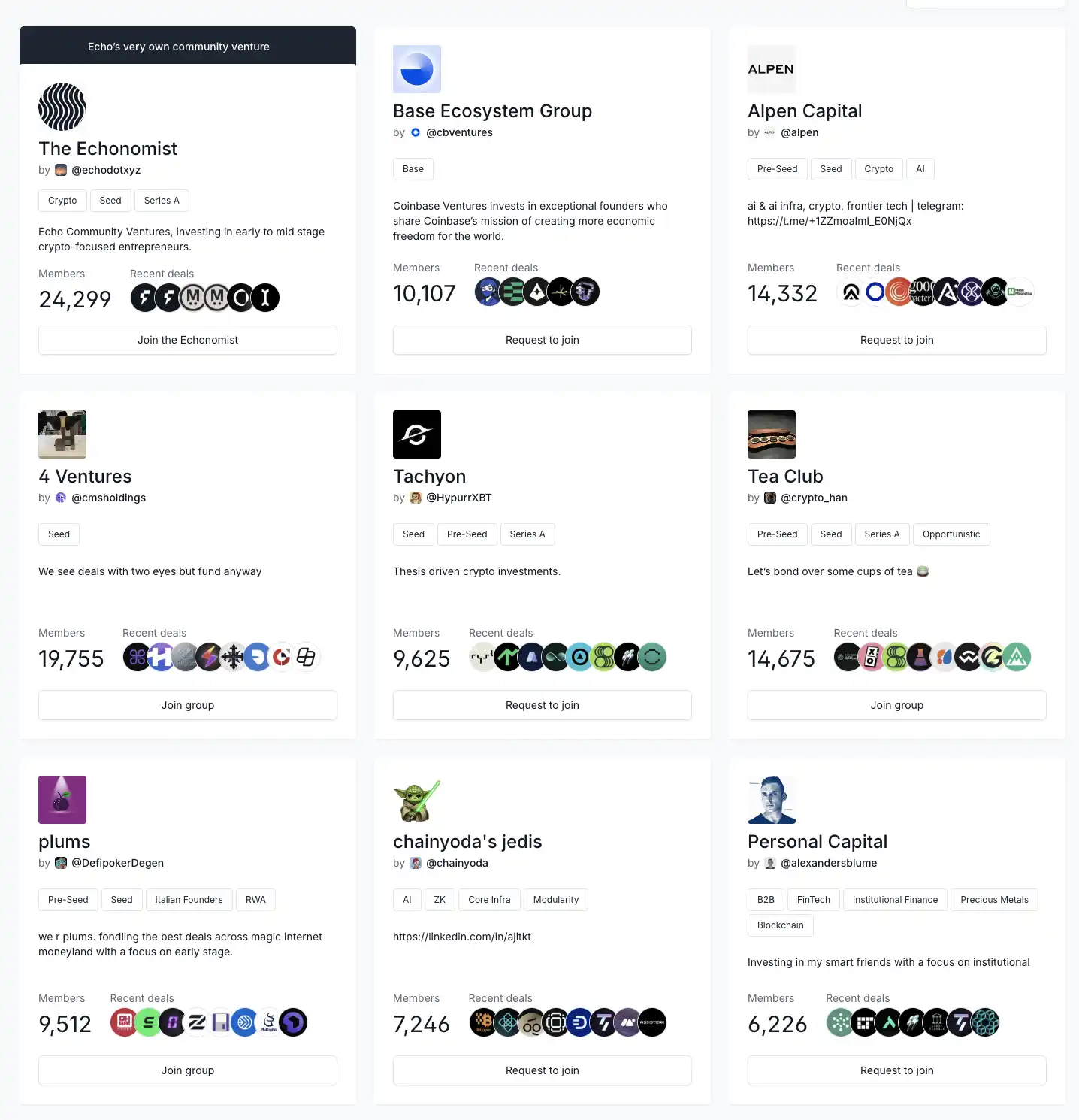
Any Echo user can apply to create a group, but currently, the processing speed of applications is quite slow.
On the group page, we can apply to join the groups we want. Before joining, we can see the number of people in the group and the most recent Deals executed. Some groups are invitation-only, and only invited users can join.
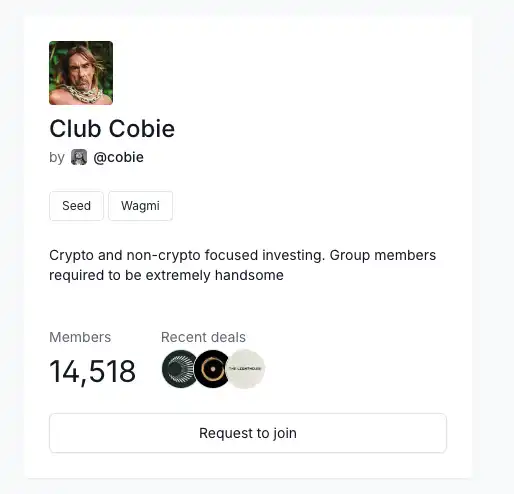
Here, it is recommended to join groups with many members and a relatively well-known group owner, such as Echo Founder Cobie's group, Club Cobie.
You may also like
340 billion valuation: Li Yanhong's largest IPO, a seat in Kunlunxin's shares is hard to come by
Stablecoins are the "royalists" of the crypto world: Open USD brings the old currency system into play
Semiconductor stocks plummet, yet Anthropic wants to create a 2nm chip
Where is Zhao Changpeng's billion-dollar investment going? YZi Labs' investment landscape fully revealed
Ethereum Foundation Report: A Basic Guide to Ethereum for Governments and Financial Institutions
A pre-announced harvesting case: After the cryptocurrency price dropped by 99%, the public chain Saga exited to transform into AI
When American giants collectively "defect" from Chinese AI models
BIS Report Compliance Observation: The Real Risks of Stablecoins, Not Just "Depegging"
Portugal 2-1 Croatia: Ronaldo's 20-Year Knockout-Stage Drought Ends With a Debt Finally Collected
Portugal beat Croatia 2-1 in the 2026 global football championship's knockout rounds as Ronaldo scored his first-ever knockout-stage goal, Gonçalo Ramos struck a stoppage-time winner, and VAR ruled out a late equalizer for offside.
Bitcoin Price Prediction July 2026: Will BTC Recover to $70K or Drop Below $55K?
A South Korean company that learned the strategy of hoarding coins, from a bull market to delisting?
WEEX API Broker Program: Turn Your Trading Platform Into a Revenue Engine
How to choose between buying discounted ETH, Bitmine, and SharpLink?
Wosh: Inflation has cooled in recent weeks, AI is reshaping the economy, and forward guidance has lost its necessity
From Pump.fun to Collector Crypt: Has Solana's income throne changed hands?
Dan Bin's latest speech: Don't miss out on a great era
Robinhood launches its own blockchain, no longer wanting to be a tenant on others' chains
Why Tokenized Stocks Are Booming in 2026 While Crypto Is Still Struggling
340 billion valuation: Li Yanhong's largest IPO, a seat in Kunlunxin's shares is hard to come by
Stablecoins are the "royalists" of the crypto world: Open USD brings the old currency system into play
Semiconductor stocks plummet, yet Anthropic wants to create a 2nm chip
Where is Zhao Changpeng's billion-dollar investment going? YZi Labs' investment landscape fully revealed
Ethereum Foundation Report: A Basic Guide to Ethereum for Governments and Financial Institutions
A pre-announced harvesting case: After the cryptocurrency price dropped by 99%, the public chain Saga exited to transform into AI